Every lead has a small window where interest is high. Miss that window, and the deal gets harder.
A lead routing system helps teams catch leads at the right moment by matching them with the right sales rep.
Below, we'll explain what a lead routing system is and what to look for when choosing one.
TL;DR
- A lead routing system assigns inbound leads to the right sales rep as soon as they come in.
- It controls timing, ownership, prioritization, and fallback rules to make sure leads aren’t missed.
- Routing can follow round-robin, territory, account, skill, or priority logic.
- Your lead routing software should support fast response, flexible rules, and reliability under high volume.
- Standard Information supports lead routing with real-time routing, validation, and delivery controls.
What Is a Lead Routing System?
As someone lands on your site and fills out a form, a decision needs to happen fast.
Who on your sales team should respond, and how do you make sure it happens before interest drops?
An effective lead routing system handles that decision for you. It looks at the information you’ve already collected, such as company size, account history, or recent activity, and uses routing rules to decide which sales representative should take the first call.
Automated lead routing creates a path from form fill to follow-up, so your sales reps don’t waste time guessing who should respond.
That automation supports speed-to-lead and keeps the sales cycle moving while the other party still wants to talk.
What Does a Lead Routing System Control?
A lead routing system takes over the decisions that usually slow you down. Once interest comes in, the system manages:
Response Timing
Response timing makes sure someone responds while interest remains high.
In a manual setup, a message can sit in a shared inbox until someone notices it. An automated system eliminates this lag time entirely by acting the moment a form submission happens.
It can sync with sales reps’ Google or Outlook calendars, check who is available, and send the lead to someone who can actually pick up the phone.
You can also set follow-up limits. For example, every lead should be contacted within 15 minutes. If the first assigned rep takes no action within that window, the system pulls the lead back and routes it to a backup rep.
Ownership Accuracy
Ownership accuracy answers a simple question: Who owns this conversation?
Routing logic assigns one owner as soon as a lead arrives.
The system can use fuzzy logic to compare company names or email domains, such as matching Disney or Hulu to the Walt Disney Company parent account. It then sends the lead to the account executive (AE) already working with that business.
Besides that, it supports a clean sales team structure. You stop losing money on leads that fall through the cracks because no one claimed them, or two people tried to claim them at once.
Lead Prioritization
Lead prioritization controls what gets attention first. The system looks at signals like activity, company size, or intent, then orders work based on those signals.
High-scoring hot leads move to the top of the queue. New leads with weaker signals wait behind them.
That order keeps focus on opportunities with real buying intent instead of whoever arrived most recently.
Fallback Logic
Fallback logic acts as a safety net when something breaks or data comes in incomplete. Primary routing rules don't always find a perfect match.
Let's say the system plans to route to Jane Doe, but her calendar shows PTO or a busy block, fallback logic skips her and finds the next available rep in the rotation.
When required fields are missing, the system can route based on a secondary signal, like company size, or send the lead to enrichment before trying again.
Types of Lead Routing Systems
Let’s talk through how teams usually set this up in real life. Most companies don’t wake up and pick one routing style forever.
Different situations call for different logic, such as:
Round-Robin Routing
Round-robin routing keeps things fair when lead volume is steady. Lead assignment works as a simple rotation where each sales rep takes a turn.
Here’s what actually happens behind the scenes:
- A form submission or import creates a new record
- Assignment rules check the current rotation order
- Rep A handled the last inquiry, so the next one goes to Rep B
- Rep B gets notified right away
- The rotation moves forward and waits for the next entry
It follows lead-routing best practices and makes sure qualified leads consistently reach the right place.
Territory- or Account-Based Routing
Territory- and account-based routing focus on sending work to the right sales representative based on context.
Location routing uses state, zip code, or country fields from the form, then checks the territory map in the customer relationship management (CRM) platform.
For instance, Rep A covers the Northeast US. A Boston zip code route leads directly to Rep A, who makes sure they reach someone familiar with that region.
Account-based routing relies on relationship history. Company names or email domains get matched to existing records. New contacts from the same business go to the same account owner.
Decision logic usually follows an order:
- Existing customer → Route to the account manager
- Target account already assigned → Route to the assigned AE
- New company → Route by location
Skill-Based Routing
Skill-based routing connects people based on need, not order. Product interest, language, or deal size guide how the system routes leads.
A form arrives from Mexico City. The usual regional rep may stay booked. Maria speaks Spanish, so the system routes the inquiry to her. The prospect explains the issue clearly, and the team member responds without friction.
Past performance also influences these decisions. The system assigns leads to agents based on their expertise and past performance, which supports rep performance and reduces handoffs during complex conversations.
Priority and Fast Lane Routing
Priority routing is used when waiting incurs costs. Incoming leads get scanned using an "if-then" logic that looks for strong intent signals.
A common flow looks like this:
- Ebook download → Standard follow-up starts
- Demo request minutes later → Senior rep receives an immediate call task
High-intent signals move those inquiries ahead of the line so your sales reps respond while interest stays high.
Hybrid Routing Logic
Hybrid routing logic combines several approaches into one routing process. The system checks conditions in layers and stops once a match appears.
A typical sequence looks like this:
- Account history: Known companies' route to the existing owner.
- Value signals: Large companies or executive titles move to senior closers.
- Skills or location: Language or region decides placement.
- Default option: Remaining inquiries are handled on a round-robin basis.
Some teams with mixed demand rely on this setup to match leads accurately.
Criteria for Choosing a Lead Routing Tool
When selecting the right lead routing software, you should consider:
Real-Time Routing Speed
When your routing tool has even a ten-minute lag, your marketing budget leaks.
A well-built setup protects speed-to-lead by acting quickly. The MIT lead response management study shows that reaching someone within five minutes makes contact 100 times more likely than waiting 30 minutes.
Real-time routing hits that window consistently. If software takes three minutes to think and a rep takes three minutes to prep, the best moment already passed.
Lead routing automation handles routing leads in parallel. Logic doesn't run step by step. All checks happen at once, such as location, title, availability, and intent.
Alerts reach a rep who can respond immediately, which keeps momentum alive.
Flexibility of Routing Logic
Lead routing rules should allow changes without disrupting your entire sales process.
Perhaps there are times you want to test ideas. Maybe top performers should receive 20% more volume. Or healthcare inquiries should go to a new specialist.
Rigid systems turn small tests into week-long projects that need a developer. Flexible tools let you set routing criteria in layers:
- Gate one checks existing customers
- Gate two looks for VIP titles
- Gate three routes by region
Leads move through these checks until they get routed efficiently. That control keeps logic aligned with real behavior.
Ease of Updates
Sales teams never stay static. People rotate, take time off, or switch focus. Sales strategy also shifts during campaigns, launches, or events.
Some tools slow you down. Every territory change or product addition turns into a ticket request.
Quick controls help reroute traffic during a flash sale or a trade show without disrupting your daily flow.
Reliability Under High Inbound Volume
High-value leads deserve attention even when demand surges.
Your lead routing software should protect records, keep queues moving, and avoid dropped assignments. It then keeps revenue steady during moments that should drive growth.
How Standard Information Supports Lead Routing Work
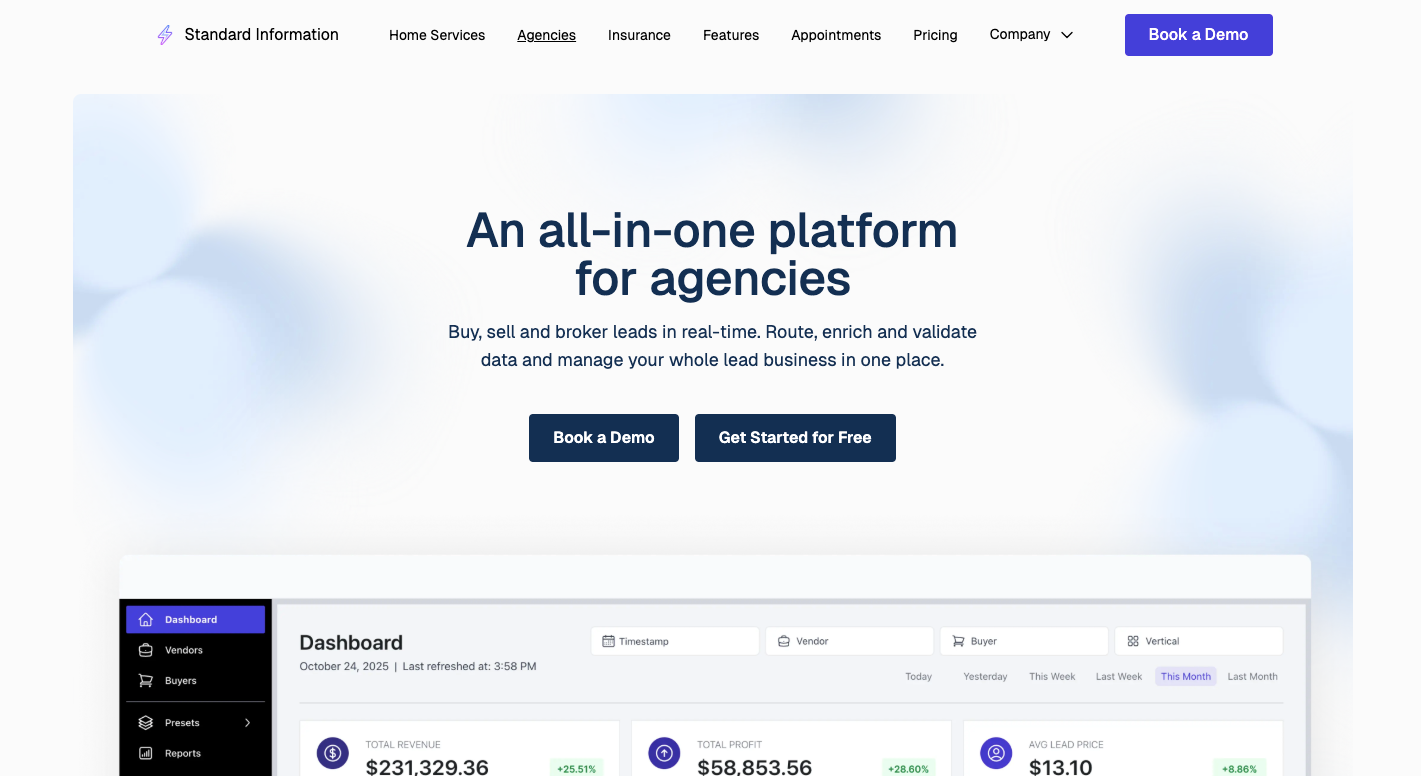
Standard Information is a lead routing and distribution platform that enables you to manage high volume with ease. It handles intake, checks quality, and determines where each request should go.
Buyers, sellers, and internal teams all work within the same system, which keeps lead-routing work clean even during spikes in traffic.
Once leads start coming in, here’s how the platform helps:
- Real-time routing sends each inquiry to the right buyer or sales team based on rules like location, capacity, or score.
- Early checks verify phone numbers and emails so reps don't waste calls.
- With the App Store, you can verify phone numbers, add data, use lead scoring, and apply extra logic before routing.
- Campaign settings help align lead distribution with peak market periods and avoid low-activity periods.
- Multiple delivery options push data into CRMs, email, SMS, or webhooks.
- Volume controls help maintain a steady flow of leads.
Keep lead traffic steady even during peak demand. Book a demo with Standard Information!
Strengthen Your Lead Routing System With Standard Information
Assigning leads sounds simple until volume increases and your team starts asking who owns what, where something went, or why nobody called back.
Standard Information manages the full lead routing process on a single platform. Leads come in, get checked, and then move to the right place.
It also fits into your existing tech stack instead of forcing a rebuild. Routing rules decide where traffic goes. Quality checks happen before anyone calls. Auctions handle pricing when buyers compete.
Standard Information focuses on keeping traffic moving and decisions clear. That’s why teams use it as an all-in-one solution when it comes to lead distribution and routing.
FAQs About Lead Routing System
Why is lead routing important?
Lead routing is important because inbound leads lose interest fast. Without a proper lead routing strategy, you face slow response times, inefficient lead distribution, and missed revenue opportunities.
Too many leads can overwhelm sales or marketing teams, so adjusting your lead routing strategy can help distribute leads faster and prevent overdue and lost leads.
What problem does a lead routing system solve?
A lead routing system addresses unclear ownership and delayed follow-up. It supports lead qualification by routing each inquiry to the right person immediately, which improves response time and increases sales efficiency.
What is the difference between manual and automated lead routing?
Manual routing depends on people checking inboxes and assigning work by hand. Automated lead routing uses automated routing rules and an automated process to route inquiries instantly and ensure leads never sit untouched.
Who needs a lead routing system?
Any team that generates inbound demand needs a lead routing system, especially once volume grows beyond what managers can assign manually.